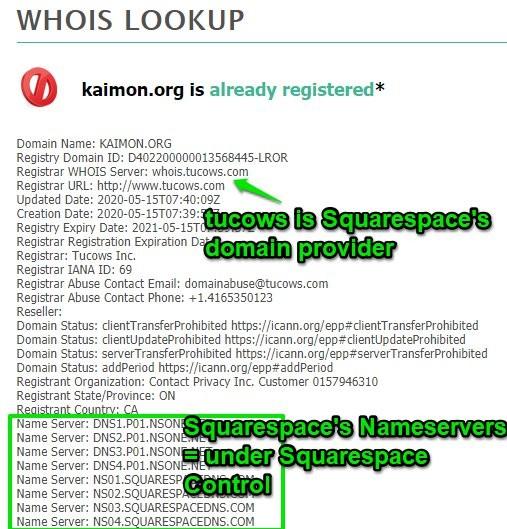
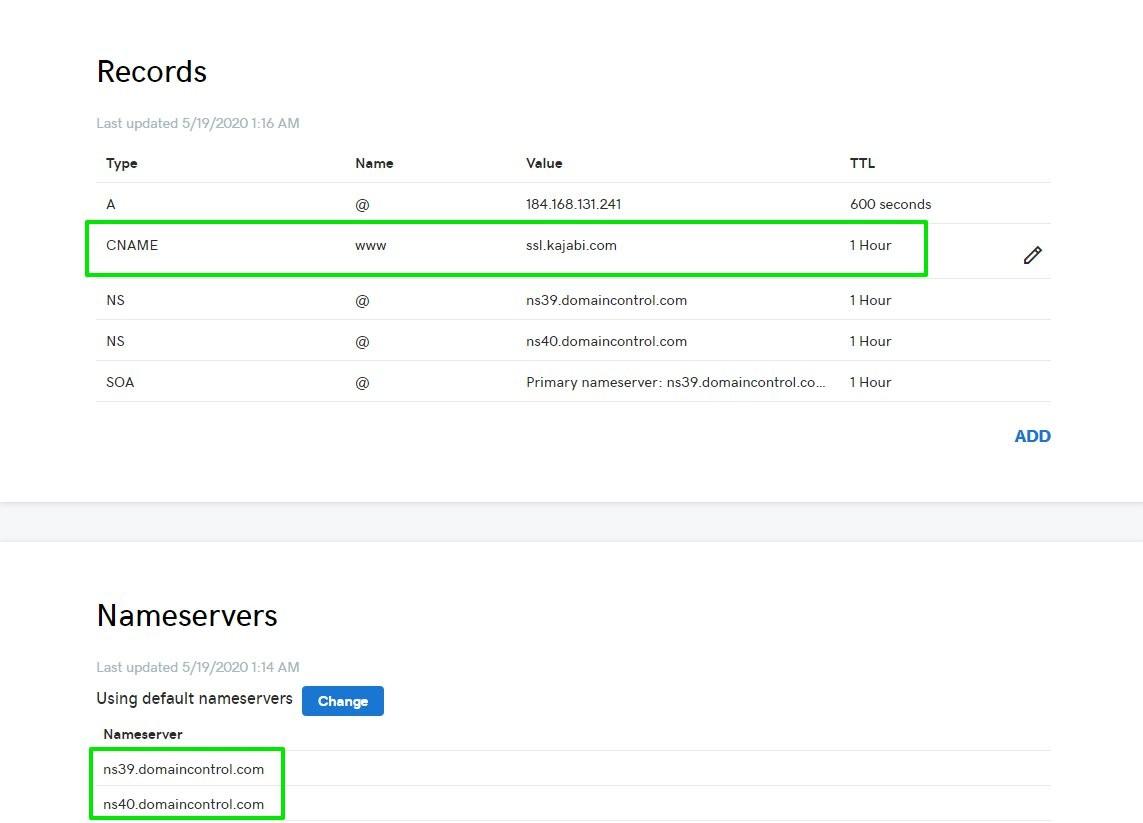
Nameservers: Tool - this will determine the registrar and Nameservers assigned to a domain
- A server on the internet specialized in locating a domain name's service.
- Store information about the domain addresses that the nameservers are assigned to.
- Domains will typically be assigned at least 2 Nameservers at a time
Key Takeaway
-----> Whoever controls the Nameservers, controls the domain. <-----
- Example - If the domain is using the Nameservers that GoDaddy has assigned to it, then any actions within Cloudflare regarding the domain will not do anything
Examples of some nameservers:
Godaddy:
NS51.DOMAINCONTROL.COM
NS52.DOMAINCONTROL.COM
Cloudflare:
andy.ns.cloudflare.com
leah.ns.cloudflare.com
Squarespace:
NS01.SQUARESPACEDNS.COM
NS02.SQUARESPACEDNS.COM
NS04.SQUARESPACEDNS.COM
Propagation: Tool - this will allow us to check a domain's propagation
- Used to describe the time frame after making any changes to your domain name.
- Sometimes changes can take anywhere from 1 minute, to 48 hours to fully propagate throughout the entire website.
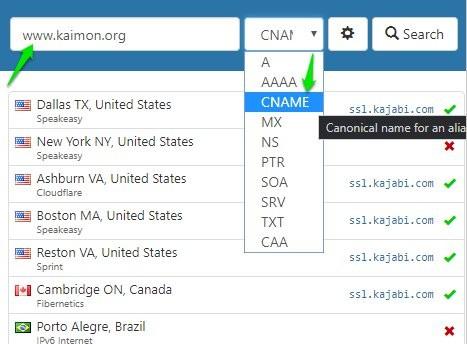
- Generally, we will use the tool above or here, select "CNAME" from the dropdown, and check the progress of our changes.
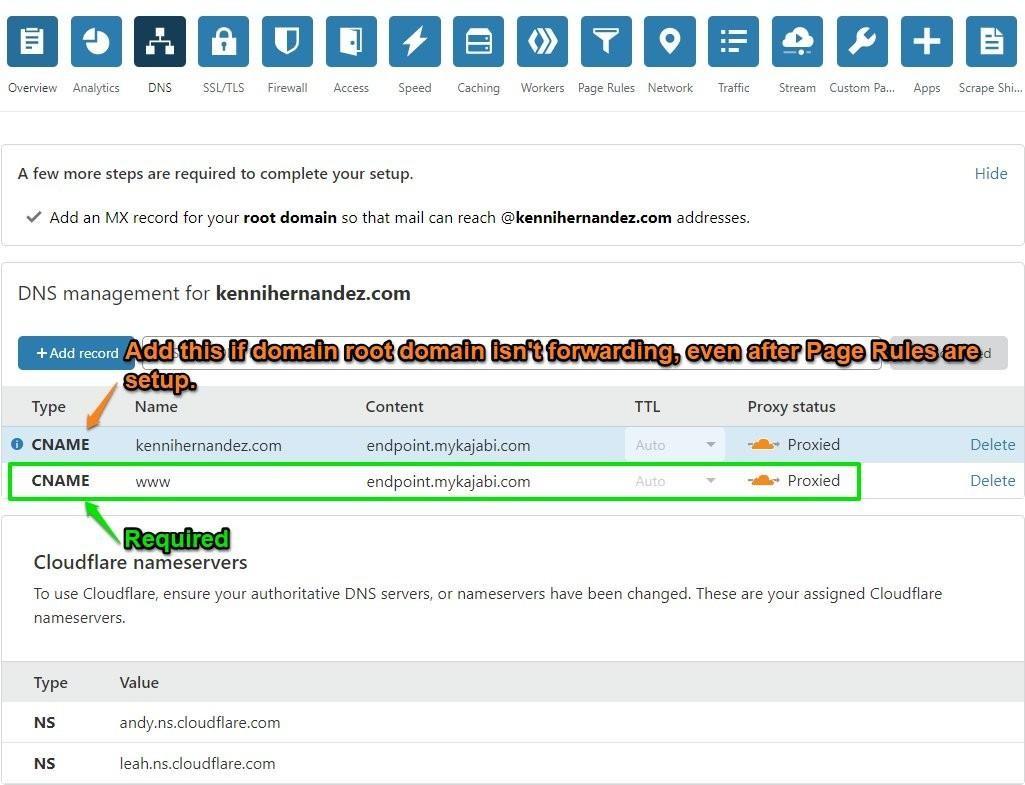
- We do not want the CNAME to point to anything other than a) ssl.kajabi.com, or b) endpoint.mykajabi.com
CNAME (Canonical Name) Record:
- Used to make an alias of one domain name, to another
Let's take the following scenario:
You have a server where you keep all of your photos. Normally, you access it through "photos.example.com", but you also want it to be accessible through "photographs.example.com"
One way of doing this, is to add a CNAME that points "photographs.example.com" -> to "photos.example.com". Meaning, that photographs is now analiasof photos. Regardless of the path, visitors will see the same content.
This concept is why we use a CNAME to connect a domain to Kajabi, because our connected domain becomes an alias of the default .mykajabi site, and why both are accessible regardless of path.
Connecting the domain requires:
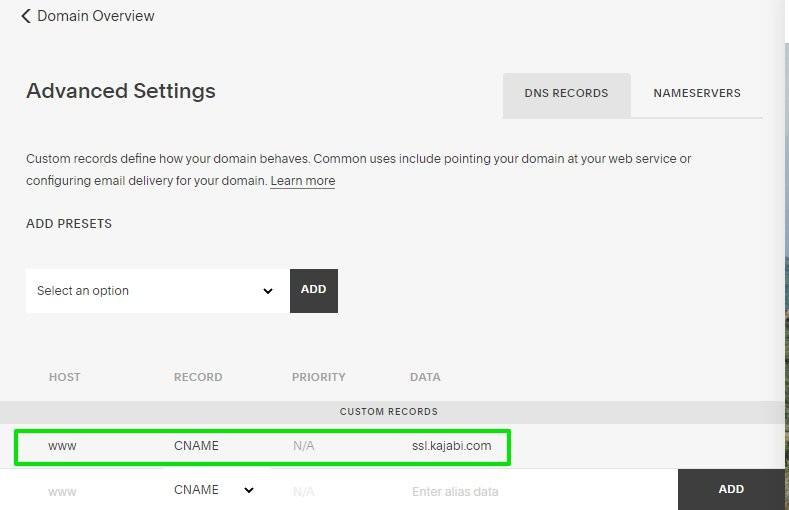
- CNAME -> www -> ssl.kajabi.com (or endpoint.mykajabi.com if using Cloudflare) | This opens the ability to use this domain as an
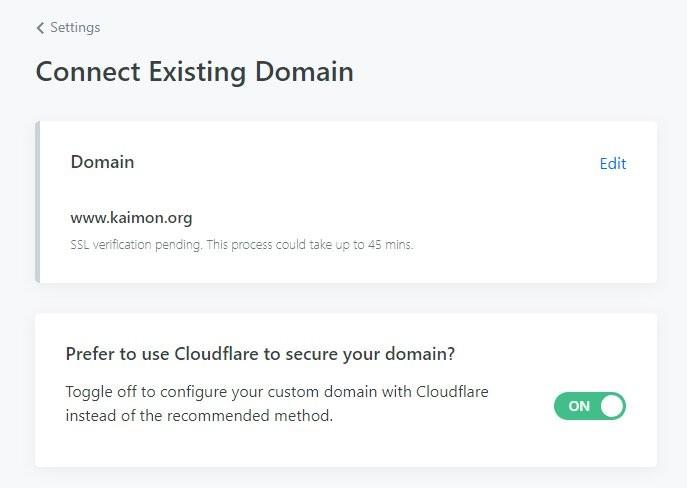
Aliasfor our Kajabi site. - Confirm the custom domain in our Settings | Locks in the domain as our
Alias.
GoDaddy (and other registrars) vs. Cloudflare.. What's the difference?
Firstly - Domains need a host. When connecting a domain, Kajabi becomes that site's host.
Cloudflare: Article Here
- A CDN (Content Delivery Network) - Geographically distributed group of servers that are designed to... you guessed it, deliver content.
- Cloudflare is NOT a hosting service
Benefits
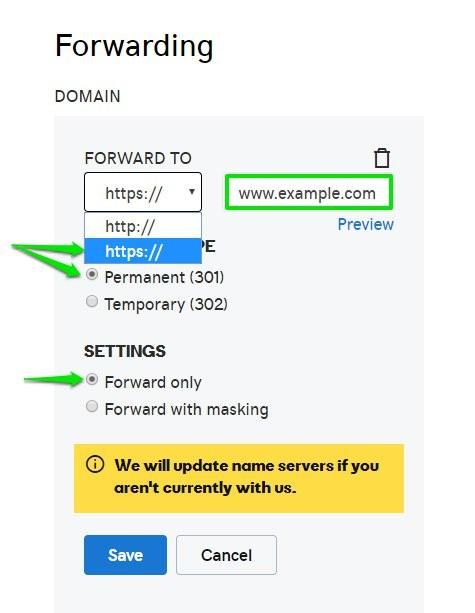
- More versatile Forwarding options
- Allows us to perform Heroku Domain Releases
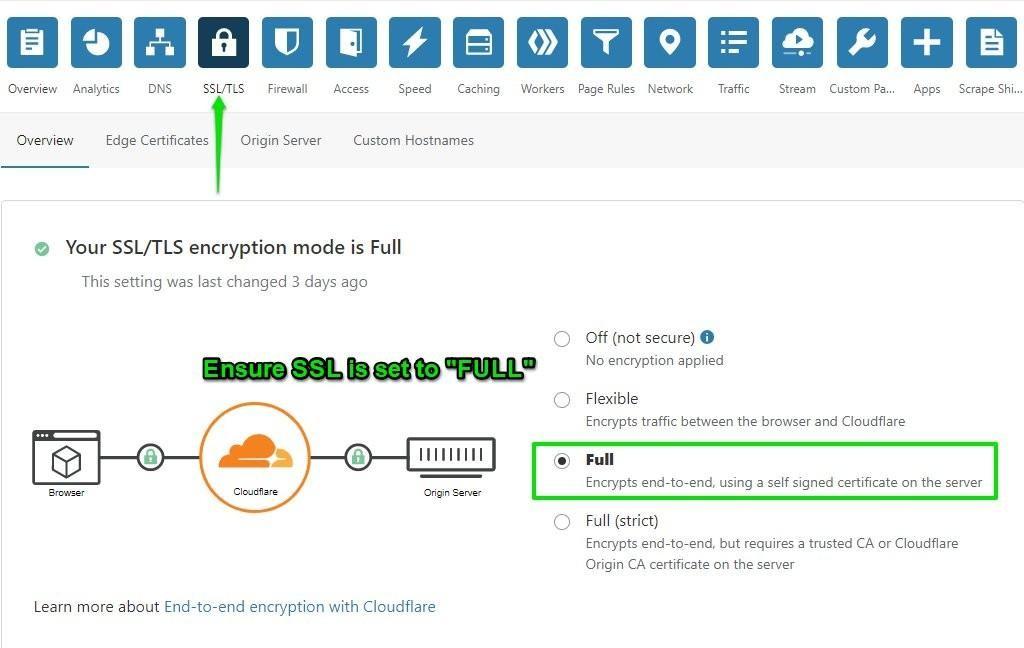
- Creates SSL Certifications (security certificates) for the domain
Example Config:
Step 1: Configure Records
Step 2: Ensure SSL is set to full in the SSL/TLS tab
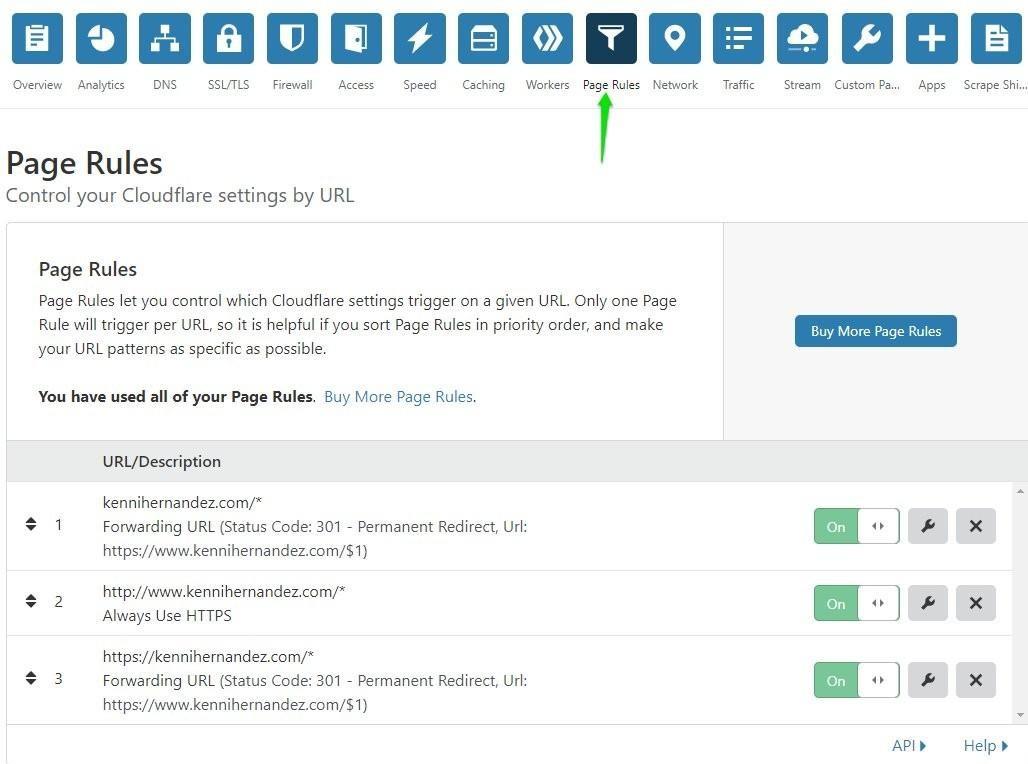
Step 3: Configure Page Rules - The Page Rules tab is where all forwarding takes place.
Click here for Tool